このチャンネルのほかの紹介
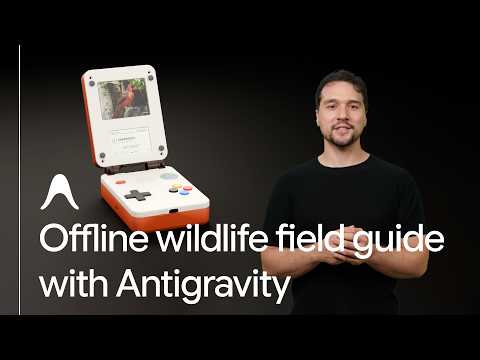
Gemma Dex: An Offline AI Field Guide Built on Raspberry Pi 5
This video presents Gemma Dex, a pocket-sized offline field guide device built on Raspberry Pi 5 that combines…

Creating a Playable Music-Reactive 3D World in Unity with Gemini Four and Anti-Gravity
A workflow is shown for creating an interactive, playable 3D environment in Unity that combines modular 3D mod…

Building a Custom Synthesizer and Rhythm Machine from a $40 Macro Keypad
A $40 generic macro gaming keypad is reprogrammed into a portable custom synthesizer and rhythm machine using …
 📺 5 developer tips for working with Gemini 4
Five Practical Tips for Building with Gemini 4
▼
Google DeepMind team members present five practical workflow recommendations for developers using Gemini 4 on large, complex coding tasks. The guidance focuses on structuring autonomous work sessions through goal alignment, verifiable feedback, multimodal references, model orchestration, and reusable lessons. It is intended for developers already familiar with AI-assisted coding who want to manage longer-running model work more effectively.
■ Aligning goals before long tasks
- Use planning mode in Google AI Studio or a "grill me" prompt in Google Antigravity to clarify success criteria, milestones, and edge cases.
■ Providing concrete verification
- Direct the model to test suites, runtime logs, or verification scripts; for UI and 3D work, use screenshots and sub-agent review for visual errors.
■ Using multimodal references
- Attach reference images to produce a design.md; use Nano Banana for 3D scene prototypes and video or audio context for UI timing issues.
■ Orchestrating models and media
- Assign planning and final integration to the strongest model, delegate parallel tasks to smaller subagents, and combine Nano Banana, Gemini 3.8 Flash, and Lyria.
■ Capturing reusable lessons
- Ask Gemini to review a session, identify extra steps, and turn them into a reusable skills file; install the Gemini API skill.
Developers and technical leads evaluating Gemini 4 for multi-step coding workflows can use the recommendations as a checklist for planning, validation, and coordination. The material does not provide benchmarks, pricing, or detailed implementation results; it points to a full developer guide and copy-paste prompts in the description. Viewers can try Gemini 4 in Google AI Studio, through the Gemini API, and in Google Antigravity.
この動画を紹介した Google for Developers の最新動画も、紹介付きで読めます。
いつも見ているチャンネルも、同じように紹介できます。
いつも見ているチャンネルを追加する📄 このページの紹介文は AI が独自に生成したものであり、著作権をはじめとする他者の権利(商標権・名誉権・プライバシー等)を侵害しないよう配慮しています。動画の著作権は各作成者に帰属します。