Alex Ziskind Video Summaries
AI-generated summaries of new videos. A no-sign-up video summary & introduction page
 📺 I Gave Two AI Supercomputers a Real Job
Running Turnstone Across Local AI Workstations
▼
I demonstrate Turnstone, a tool for coordinating AI agents across local machines, and use it to delegate software-development tasks to different models and systems. Along the way, I compare the NVIDIA DGX Station with a system powered by eight RTX PRO 6000 GPUs, including examples of workloads, throughput, power use, and task completion times.
■ Turnstone setup and use
- Configure models, personas, nodes, and shared workspaces; delegate repository changes and issue reviews to multiple agents.
- Follow examples involving Windows on ARM compatibility, code testing, auditing, and video generation.
■ Hardware and practical considerations
- Compare memory architectures and workloads across the DGX Station, RTX PRO 6000 system, and DGX Spark nodes.
- Review remote management, power consumption, multi-user throughput, and estimated cloud API costs; the comparison is based on specific demonstrations, not a standardized review of every workload.
For developers and teams considering local AI infrastructure, these examples show how to assess model placement and agent workflows. Use them as a starting point to test your own tasks, hardware, and operating costs before choosing a setup.
 📺 M5 Ultra… Apple Wasn’t Messing Around
M5 Ultra vs. M3 Ultra: Local LLM Performance Compared
▼
I compare the M5 Ultra and M3 Ultra on local LLM workloads, focusing on prompt processing and token generation. The DeepSeek V4 Flash test also shows how prompt length affects the performance difference.
- Local LLM comparison: prompt processing and token generation
- How results vary with prompt length, from short prompts to longer inputs
- Scope: these two performance measures, rather than a broader system or workload comparison
If you use local LLMs for coding agents or other professional tasks, this comparison can help you assess the upgrade against your typical prompt lengths. Consider your workload before deciding whether the performance gains matter to you.
 📺 M5 Ultra vs 2 DGX Sparks… The Number You're Not Looking At
M5 Ultra Mac Studio vs. Dual NVIDIA DGX Sparks for Local AI
▼
I compare an M5 Ultra Mac Studio with two NVIDIA DGX Sparks to show how their performance differs when running large language models locally. The tests cover prompt processing, token generation, and multiple users, with practical details on setup and power use.
■ Performance and workloads
- Model loading, prompt processing, and generation across different prompt lengths
- Comparisons involving concurrency, cached context, and software engines
■ Setup and practical considerations
- Multi-node Spark configuration, power use, and temperatures
- How to assess hardware based on prompt size, response length, and intended users
For developers and small teams considering local AI hardware, the examples provide context for matching a setup to a workload. The comparisons are limited to the tested configurations and models, so use your own prompt and usage requirements to guide a purchase decision.
 📺 The First Thing AI Found Wasn’t an Overcharge
Checking Business Internet Bills with Perplexity Hybrid Compute
▼
I use sample business statements, bills, and a service agreement to demonstrate how Perplexity Hybrid Compute can check charges while limiting sensitive information sent to the cloud. The example focuses on internet billing and researching current plans, rather than a review of other business expenses.
- Reviewing charges against bills and the agreed rate for price changes, fees, and mismatches
- Using on-device processing and a privacy check to control which details are shared for cloud research
- Comparing internet offers by upload speed, equipment costs, and pricing after promotions
For business owners and others reviewing service costs, this walkthrough outlines a way to check bills and compare offers while considering data privacy. Viewers can apply the approach to their own documents and review what information is shared before using cloud research.
The statements and account details shown are fictional; the video is sponsored by Perplexity.
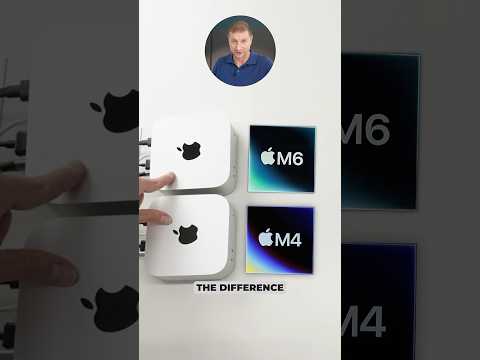 📺 The M6 Mac mini Looks Familiar… Then You Run It
M6 Mac mini First Look: Geekbench, Browser, and Python Tests
▼
I compare the M6 Mac mini with the M4 Mac mini and discuss how Geekbench version differences affect comparisons with an M5 MacBook Pro. The first-look tests cover browser speed and a Python workload, offering a limited view of performance and power use.
- Geekbench results and the effect of comparing different versions
- Speedometer browser test and Python fractal workload, including observed power use
If you are considering a Mac mini or comparing Apple silicon, these examples can help you identify which performance measures to check. Use tests that match your own workloads when making a comparison; this segment does not provide a comprehensive review.
 📺 M5 Ultra… Apple Wasn’t Messing Around
Apple M5 Ultra First Look: Specs, Pricing, and Early Performance Tests
▼
I examine Apple’s M5 Ultra Mac Studio and compare its advertised performance claims with a handful of early tests. The overview covers its configuration and price, along with browser, Python, CPU, and compilation results.
- Specifications and pricing: memory bandwidth, core layout, and the tested Mac Studio configuration
- Early performance checks: Speedometer, Python, CPU read/write, and compilation
- Scope: a preliminary look rather than a full review, with additional testing still to come
This introduction is aimed at developers and people considering a high-end Mac Studio who want an initial view of its specifications and performance. Use it as a starting point, and look for the further testing mentioned before making a purchase decision.
 📺 Not big enough
Running Qwen 3 4B Across Four Mac Studios
▼
I connect four Mac Studios, each with 512 GB of unified memory, as a single 2 TB cluster and run Qwen 3 4B across them. The demonstration focuses on the setup and the model’s reported generation speed, rather than a broad performance comparison.
- Cluster setup: four M3 Ultra Mac Studios, shared memory, and tensor parallelism
- Model test: launching Qwen 3 4B Instruct from the head node and observing its reported throughput
For viewers exploring multi-Mac inference or evaluating hardware for local model workloads, this offers a concrete setup to consider. Use it as a reference point when deciding what model and workload to test on your own system.
 📺 The M6 Mac mini Had Me Checking My Numbers
Apple M6 vs. M4: Comparing Local AI Performance
▼
I compare the M6 and M4 on local AI tasks to assess how much their performance differs. The tests use llama.cpp with a 9-billion-parameter Q4K model and examine prompt processing and token generation, including how generated text appears on screen.
- Local AI benchmarks: prompt processing and token generation on the M4 and M6
- Practical comparison: generated text output and the test’s scope, limited to this model and workload
If you are considering a move from an M4-based machine or evaluating local AI performance, this provides a focused comparison. Use it as a reference point, then test the models and workloads you expect to run.
 📺 Apple messed up again!
Comparing Apple Logos on Mac mini and Mac Studio
▼
I compare the Apple logos shown on the M4 Mac mini, M2 Pro Mac mini, and Mac Studio. The focus is their apparent size across these desktop models, not their specifications or performance.
- Mac mini: comparing the logos on the M4 and M2 Pro models
- Mac Studio: comparing its logo size with the Mac mini models
For viewers interested in Apple product design, this offers a focused look at branding details across the lineup. When comparing these models, you can also check the logo proportions in product images; no broader design or hardware analysis is covered.
 📺 New MacOS 27 for clusters
Enable RDMA over Thunderbolt in macOS 27
▼
I explain the new macOS 27 setting for enabling RDMA over Thunderbolt, a feature relevant to people clustering Macs with Thunderbolt 5. The setting brings an option previously enabled through Safe Mode and the command line into Settings.
- How RDMA supports low-latency communication and sharing model workloads across Macs
- Where the new macOS 27 setting fits in a Thunderbolt 5 cluster setup
- The change from the previous Safe Mode and command-line process
This overview is for Mac users working with Thunderbolt 5 clusters. Check Settings on a compatible system to see the new option; detailed setup instructions and performance testing are not covered.
 📺 M5 Ultra… Apple Wasn’t Messing Around
M5 Ultra vs. M3 Ultra: Development and Local AI Performance
▼
I compare the M5 Ultra Mac Studio with the M3 Ultra to examine Apple’s performance claims across developer workloads, storage, memory bandwidth, and local language models. The tests use matching software builds and model files, with examples that show how results vary by task and prompt length.
■ Hardware and developer workloads
- Configuration, pricing, CPU compilation, Python, and storage testing
- Memory-bandwidth measurements and local LLM testing with llama.cpp and MLX
■ Local AI performance and practical considerations
- Prompt processing and token generation across several model types
- Power use, temperature, noise, and workload limits; larger-memory configurations and deeper MLX comparisons are not covered in this first look
Developers and people considering a Mac Studio for local AI can use this overview to identify which workloads to investigate before choosing a configuration. For a purchase decision, compare the tests with your own model sizes, prompt lengths, and budget.
 📺 The M6 Mac mini Had Me Checking My Numbers
M6 Mac mini First Look: Benchmarks, Development, and Local AI
▼
I compare the M6 Mac mini with the M4 to explore what has changed and whether the newer model suits development work and local AI. The hands-on tests cover performance, storage, memory bandwidth, and model workloads, while deeper testing of other upcoming Apple chips is left for future coverage.
- Chip and connectivity changes, followed by browser, Python, and Xcode tests
- SSD and memory bandwidth tests, plus local AI text and image workloads
- Memory capacity, configuration choices, and who may benefit from upgrading
Developers and people considering local AI can use this overview to identify which tests and hardware specifications matter for their needs. After watching, compare your workload and storage or memory requirements before choosing a configuration.
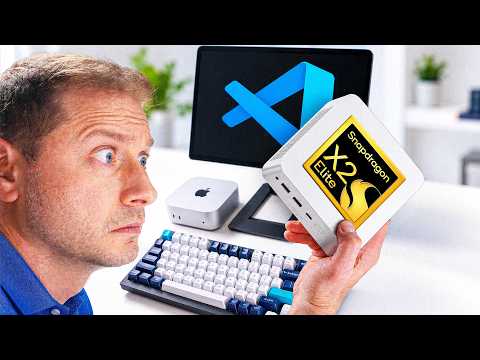 📺 I Waited Two Years for This Mini PC… Then I Tested It
Testing the ASUS QN10: A Snapdragon X2 Elite Mini PC for Windows Development
▼
I examine the ASUS QN10, a production mini PC built around Qualcomm’s Snapdragon X2 Elite, and assess its relevance for Windows developers. The coverage includes hardware, application compatibility, developer workloads, and local AI use, with comparisons to other mini PCs and Apple systems.
- Hardware and background: Snapdragon X2 Elite specifications and the history of earlier Windows on ARM dev kits
- Developer workloads: browser and JavaScript benchmarks, .NET compilation, Python, and the impact of running x64 applications versus native ARM software
- Local AI: CPU and GPU inference tests, model memory limits, and comparison with Apple’s MLX workflow
- Comparisons and buying context: ASUS QN10 alongside the Mac mini, Beelink SER10, and other systems
For Windows developers considering an ARM desktop, this provides examples of the workloads and compatibility factors to evaluate. Before buying, check whether your essential tools and applications support ARM64 natively; the coverage focuses on development and local AI rather than a general-purpose desktop review.
 📺 My AI Agent Lives OUTSIDE My Computer
Testing Vialoop, a Hardware AI Agent for Mac
▼
I demonstrate how Vialoop uses a hardware device to interact with a Mac, including security prompts that ordinary desktop agents cannot approve. The walkthrough covers its controls, model options, privacy claims, and practical limitations.
■ Device and workflows
- Setup, app controls, model selection, and examples of approving prompts, handling files, and monitoring a webpage
■ Safety and privacy
- Human confirmation for irreversible actions, local and cloud model options, memory, and the limits of what I could verify about on-device processing
■ Scope and limitations
- The proactive task-suggestion feature did not trigger during testing; the focus is on tasks I explicitly requested
For Mac users considering AI-assisted computer control, this offers concrete examples and points to evaluate, including model routing, safeguards, and privacy claims. Before adopting a similar setup, review which model processes your data and how actions requiring confirmation are controlled.
 📺 Llama Cpp Flags That Instantly Speed It Up
Tuning llama.cpp Performance on NVIDIA DGX Spark
▼
I compare llama.cpp build and server settings on the NVIDIA DGX Spark, focusing on flags that affect prompt processing, token generation, and model loading. Using benchmark runs and a server example with Nemotron and gpt-oss-120b, I show how to evaluate these options in practice.
- llama-bench comparisons: flash attention and varying batch sizes
- Server configuration: reasoning format, memory mapping, and performance checks
This is aimed at llama.cpp users running models on DGX Spark who want to test practical configuration changes. Apply the settings to your own models and backend, checking batch-size behavior since it can vary by setup; the discussion does not cover a general guide to building llama.cpp across platforms.
📄 このページの紹介文は AI が独自に生成したものであり、著作権をはじめとする他者の権利(商標権・名誉権・プライバシー等)を侵害しないよう配慮しています。動画の著作権は各作成者に帰属します。