Alex Ziskind Video Summaries
AI-generated summaries of new videos. A no-sign-up video summary & introduction page


 📺 Tiny AI box vs massive AI workstation. 🚀
Asus GX10 and DGX Station Compared for Running Large Language Models
▼
An overview of two Asus systems designed for local LLM inference: the compact Asus Ascent GX10 with 128 GB of …
An overview of two Asus systems designed for local LLM inference: the compact Asus Ascent GX10 with 128 GB of memory and the larger Asus Expert Center Pro ET900 NG3, positioned as a DGX Station with 748 GB. The comparison focuses on which model sizes each machine can run and how throughput changes as parameter counts increase. It also outlines when the smaller unit is sufficient and when the larger system or multiple stacked GX10 units become relevant.
■ Hardware overview
- Asus Ascent GX10 compact unit with 128 GB
- Asus Expert Center Pro ET900 NG3 DGX Station with 748 GB
■ Model testing scope
- Dense and mixture-of-experts models from small to very large parameter counts
- Throughput and capacity limits as models approach or exceed 128 GB
■ Practical selection
- When the GX10 is sufficient and when the DGX Station is needed
- Stacking multiple GX10 units for larger workloads
For viewers assessing local AI hardware, this provides a structured look at capacity, performance trade-offs, and practical selection criteria. It is suited to those comparing compact and workstation-class systems for LLM deployment and wanting a clearer view of which hardware tier matches their model size and speed requirements.
 📺 NVIDIA, It’s Happening Again
GMK Tech Evo X5 Pro vs NVIDIA DGX Spark: Running 150GB+ LLMs on a Mini PC
▼
This comparison tests whether a single GMK Tech Evo X5 Pro mini PC, equipped with 192GB of unified memory, can…
This comparison tests whether a single GMK Tech Evo X5 Pro mini PC, equipped with 192GB of unified memory, can replace two linked NVIDIA DGX Sparks for running large local LLMs and coding agents. It walks the box from stock Windows through BIOS and Linux tuning to a setup where big models actually fit and run.
■ Hardware and Setup
- Specs, ports, memory-per-dollar comparison, and CPU benchmarks versus the Spark
- Stock Windows out of the box: the 128GB GPU share, Vulkan benchmarks, and dense vs. mixture-of-experts speed differences
- Why WSL cannot see the GPU on this chip, plus dual-boot Linux testing
- BIOS UMA frame buffer settings, raising the GPU share to 160GB, and Windows paging file adjustments
■ Model and Agent Testing
- Loading 142-157GB models such as GLM 5.3, DeepSeek V4 Flash, and Qwen 235B, plus quantization and context length effects
- Multi-model and agent workloads, Docker container memory usage, and how the RAM split limits concurrent agents
- Single-user, multi-user, and team-usage scenarios
■ Software Optimization
- Linux versus Windows, a one-line ComfyUI video generation fix, speculative decoding, Flash Attention, Vulkan vs. ROCm backends
- vLLM comparisons and the Halogen engine's prompt processing results
■ Media Generation and Conclusions
- Image and video generation tests with Stable Diffusion XL, Flux, and LTX, and recommendations for different use cases
This is aimed at developers and AI enthusiasts deciding between a large-memory mini PC and a DGX Spark for local inference. It covers what each machine handles well, which configurations suit which workloads, and the practical steps needed to get there.

 📺 I Thought 2 TB of RAM Was Overkill… My AI Agents Disagree
Does System RAM Matter More Than VRAM for Running Local AI Agents?
▼
System RAM and VRAM both matter for local AI, but they serve different roles, and this test measures exactly w…
System RAM and VRAM both matter for local AI, but they serve different roles, and this test measures exactly where each limit appears. Using a Threadripper Pro workstation, the video builds a benchmark that runs many coding agents in parallel and reruns it across different GPU and RAM configurations.
■ RAM vs. VRAM in agent workloads
- Why VRAM usually gets the attention, and how agentic workloads differ from simple generation
- What system RAM actually holds while multiple agents run at once
- A benchmark that stacks real coding agents against one model
■ Testing across hardware configurations
- Comparing a 192 GB VRAM setup against a 32 GB VRAM workstation card
- Running a large mixture-of-experts model with most of its weights in system RAM
- Upgrading from 128 GB to 256 GB of system RAM and rerunning the same workload
■ Additional coverage
- AMD Halo Station specifications and its 2027 availability
- The Agent Headroom benchmark suite released on GitHub
- A sponsor segment covering a multi-model chat platform
Those building or budgeting a local AI workstation can use these results to decide how to split spending between memory and GPUs. It also provides a practical benchmark to try on your own hardware before making upgrades.
 📺 Intel just matched Apple Silicon
Dell XPS 13 vs. MacBook Neo: Local AI on Entry-Level Laptops
▼
A compact comparison examines the base Dell XPS 13 and the MacBook Neo as entry-level machines for local AI ta…
A compact comparison examines the base Dell XPS 13 and the MacBook Neo as entry-level machines for local AI tasks. It covers their key specifications and prices, then looks at how each handles small and larger local language models through Llama.cpp. The focus is on how available memory and GPU/CPU fallback affect practical use.
■ Hardware and pricing
- Dell XPS 13: Intel Core i5, 8 GB RAM, 512 GB SSD, $699
- MacBook Neo: A18 Pro chip, 8 GB memory, 256 GB SSD
■ Local AI setup
- Qwen 3 4B at 4-bit quantization
- Llama.cpp as the runtime
■ Memory constraints
- 8B parameter model at 4-bit and GPU memory limits
- Spillover from GPU to CPU and system RAM
- Discussion of performance when models exceed available GPU memory
Viewers considering an affordable laptop for local AI can use the comparison to understand memory-related limits and what to check before running models. It is suited to those comparing entry-level hardware for lightweight AI experiments rather than high-end workloads.
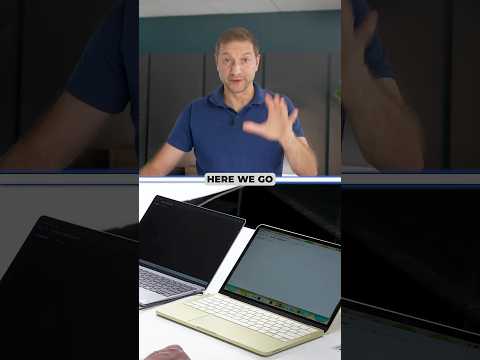 📺 Intel vs Apple Silicon for Developers… Seriously
Dell XPS vs MacBook Neo: Plugged-In and Battery Python Performance
▼
A side-by-side Python performance comparison examines an Intel-based Dell XPS and an Apple Silicon MacBook Neo…
A side-by-side Python performance comparison examines an Intel-based Dell XPS and an Apple Silicon MacBook Neo under plugged-in and battery-powered conditions. It also covers thermal and fan behavior during an intensive CPU workload. The focus is on whether the Intel laptop requires wall power to deliver comparable performance.
■ Test scope
- Python workload that loads all CPU cores
- Intel-based Dell XPS compared with Apple Silicon MacBook Neo
- Plugged-in and battery-powered runs
■ Observations
- Thermal and fan behavior during sustained load
- Repeated runs for consistency
- Whether the Intel laptop needs wall power for comparable performance
Viewers interested in laptop performance under sustained CPU workloads, especially those comparing Intel-based and Apple Silicon systems, can use the discussion to understand the test scope and the factors considered. It provides a focused look at plugged-in versus battery behavior and thermal observations, while not covering broader application performance, pricing, or detailed specifications.
 📺 NVIDIA Didn't Want Me to Do This… Linux on RTX Spark
Running Linux on NVIDIA RTX Spark Laptops: Installation, Performance, and Power Behavior Tested
▼
The MSI Prestige N16 Flip AI Plus is one of the new RTX Spark laptops featuring NVIDIA's ARM-based chip with C…
The MSI Prestige N16 Flip AI Plus is one of the new RTX Spark laptops featuring NVIDIA's ARM-based chip with CUDA support and up to 128 GB of unified memory. Since AI tooling is largely Linux-first, many developers want to know whether these Windows-on-ARM machines can run Linux natively. I attempted a dual boot setup over three days and tested how Linux, WSL, and Windows each perform, and what is limiting Linux GPU performance.
■ Dual Boot Setup
- Trying Omari and Debian, and the hardware support each one provides
- Working around a display output issue during boot and installation
- Adjusting the GPU-reserved memory allocation from Windows
■ Performance Testing
- Token-per-second comparisons for a large model across Windows, WSL, the DGX Spark, and native Linux
- Multi-client throughput tests with vLLM and SGLang
- GPU clock speed and thermal behavior on battery versus plugged in
- The role of the NVIDIA Platform Controllers and Framework device in power management
■ Practical Takeaways
- WSL as a current working option, including its memory configuration
- What would need to change in NVIDIA's Linux driver for native support
This is useful viewing for developers and Linux users considering one of these ARM-based AI laptops, especially anyone deciding between a native Linux setup and WSL. It shows what a real-world installation involves, which performance factors to watch, and what to verify before relying on one of these machines.
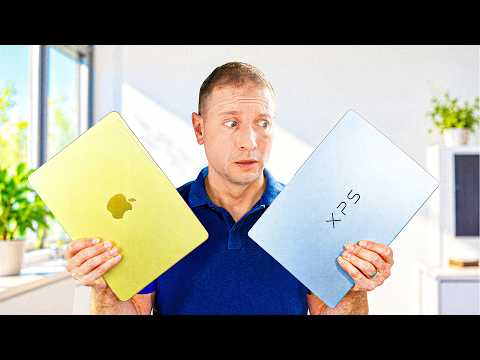 📺 I Tested Two $699 Laptops for Coding… It Got Weird
Dell XPS 13 vs MacBook Neo: Developer Benchmark Comparison
▼
Two entry-level laptops at the same price are put through real development workloads to see how they compare. …
Two entry-level laptops at the same price are put through real development workloads to see how they compare. The tests cover build performance, AI inference, memory handling, battery draw, and everyday hardware design.
■ Design and Hardware
- Chassis, weight, hinge, rubber feet, and backlighting differences
- Trackpad mechanisms, display refresh rate, touch support, and finish
- Port selection, USB speeds, SSD capacity, and upgradeability
■ Storage and Real-World Use
- Sequential and random SSD read/write measurements
- Boot responsiveness and memory pressure during a typical dev workload
■ Performance Benchmarks
- Python multi-core tests, both plugged in and on battery
- llama.cpp build times and sustained multi-run throttling behavior
- Local LLM inference with prompt processing and token generation speeds
■ Battery and Verdict
- Battery consumption during identical workloads
- Pricing context, configuration options, and which audience each machine suits
This is aimed at developers and students choosing an affordable laptop for coding and light AI work. Viewers get a concrete sense of where each machine stands before deciding.
 📺 I Ran A 27B Model On A PC That Fits In One Hand… Didn't Expect This
Testing a Compact Khadas Mind Pro with Intel Panther Lake for Local 27B AI Inference
▼
The Khadas Mind Pro is examined as a compact Intel Panther Lake system capable of running a 27-billion-paramet…
The Khadas Mind Pro is examined as a compact Intel Panther Lake system capable of running a 27-billion-parameter AI model locally. The presentation covers its hardware configuration and compares prompt processing and token generation across CPU and integrated GPU paths. Viewers get an overview of how memory bandwidth and API choice relate to local AI workload performance.
■ Hardware overview
- Khadas Mind Pro as a compact Core Ultra X7 358H Panther Lake machine
- 64 GB memory and integrated Arc B390 graphics
■ Local AI inference paths
- CPU baseline
- Vulkan, SYCL, and OpenVINO access to the integrated GPU
■ Performance focus
- Prefill/prompt processing and decode/token generation comparisons
- Shared system memory and measured bandwidth considerations during decode
This is aimed at viewers interested in small-form-factor PCs and local AI inference on integrated graphics. It helps assess the trade-offs among inference backends and memory constraints before choosing a compact AI-capable system.
 📺 I Ran A 27B Model On A Hand-Sized PC… Didn't Expect This
Running a 17.6 GB Model on a 16 GB RTX 5060 Ti: Layer Offload and Quantization
▼
An examination of running a 17.6 GB language model on a GPU with 16 GB of VRAM, using the RTX 5060 Ti as the t…
An examination of running a 17.6 GB language model on a GPU with 16 GB of VRAM, using the RTX 5060 Ti as the test platform. It focuses on memory constraints and compares layer offloading with switching to a smaller quantization to keep the model within VRAM.
■ Memory-fit constraint
- The model exceeds available VRAM by about 1.7 GB
- The model is described as roughly 62 layers, allowing partial placement across memory
■ Layer-splitting performance sweep
- Token generation is measured at 0, 48, 56, and 60 layers
- Token generation rates are recorded across the layer-offload settings
■ Quantization comparison
- Q4KM at about 18 GB versus IQ4XS at about 13 GB
- Prompt processing and token generation are compared between the two
For viewers interested in local LLM deployment, GPU memory limits, and quantization trade-offs, it provides a concrete case study of model fit and throughput. It does not present a broad hardware benchmark; the focus is on one model, one GPU, and specific configuration choices. Viewers can use it to plan how to evaluate layer offloading and quantization when a model exceeds VRAM.

 📺 It Begins... Local AI and the Cloud Start Sharing
Perplexity Hybrid Compute Tested: Keeping Sensitive Data on Mac While Using Cloud AI
▼
Perplexity’s hybrid compute mode is examined across three Macs to see how it routes sensitive files to an on-d…
Perplexity’s hybrid compute mode is examined across three Macs to see how it routes sensitive files to an on-device model while sending non-private tasks to cloud models. The demonstration uses sample financial, medical, and vehicle documents to show Privacy Gate detection and user approval flows. It also compares available local model options by RAM requirements and device capacity.
■ Hybrid workflow and Privacy Gate
- Enabling Privacy Gate and selecting hybrid mode in Perplexity Computer
- On-device model choices and RAM requirements across 16 GB, 32 GB, and 128 GB Macs
- Local processing of sensitive files, with cloud handling planning and web research
■ Document tests
- Matching bank statements, internet bills, and service agreement for charge discrepancies
- Handling photos of paper documents, including car rental, medical record, and parking ticket
- Review prompts for detected personal information and choices to process locally or share
■ Scope and limitations
- Focus on Perplexity Computer’s macOS app and selected local models
- No independent benchmark or security audit; results are based on demonstration scenarios
Viewers interested in local and cloud AI privacy tradeoffs and Mac-based AI workflows can use the demonstration to understand how hybrid routing and approval prompts operate. A practical takeaway is to check local model requirements and privacy settings before processing sensitive documents.
 📺 DGX Spark Dell GB10 2 Node Cluster
この動画は短いため紹介が用意できません
▼
📄 このページの紹介文は AI が独自に生成したものであり、著作権をはじめとする他者の権利(商標権・名誉権・プライバシー等)を侵害しないよう配慮しています。動画の著作権は各作成者に帰属します。