ServeTheHome Video Summaries
AI-generated English translations of new videos. A no-sign-up video summary & translation page
 📺 Is this the BEST Local AI 128GB Strix Halo box?
Hands-On Review of the ASRock Industrial AI Box A395 with 128GB Memory and Ryzen AI Max+ 395
▼
This is a hands-on look at the ASRock Industrial AI Box A395, an embedded-class mini PC built around the AMD R…
This is a hands-on look at the ASRock Industrial AI Box A395, an embedded-class mini PC built around the AMD Ryzen AI Max+ 395 with 128GB of LPDDR5X memory, 10GbE and 2.5GbE networking, multiple USB4 ports, and support for four displays. I opened the chassis up, walked through the port layout and internal design, ran CPU, GPU, and LLM benchmarks under Linux, and compared it against similar Strix Halo systems including the Framework Desktop.
■ Chassis, Ports, and Connectivity
- Exterior tour: handle, power button, top USB 2.0 Type-A ports, venting, and size comparison with the Framework Desktop
- Rear I/O: dual audio jacks, dual HDMI, USB 3.2 Gen 2 Type-A, two USB4 ports, and a USB 3 Type-C with DisplayPort output
- Networking: Marvel AQC113 10GbE plus Realtek RTL8125BG 2.5GbE, Wi-Fi 7 antenna, and clear port labeling
■ Internals and Hardware Design
- 400W internal FSP power supply, large heatsink and fan unit, and the resulting serviceability trade-offs
- M.2 SSD slot, Wi-Fi module placement, MCIO x4 and U.2 SPI connector, dual BIOS chips
- Reliability features: hardware watchdog and AC power-on behavior in BIOS
■ Benchmarking and Performance
- SPEC CPU, SPECrate, and FP rate at low optimization, plus an STH agent-style AI CPU benchmark
- SPECviewperf 15.01 GPU results in Linux, and LLM performance comparisons across systems
- Power consumption figures, acoustic measurements, and 10GbE topology mapping
■ Use-Case and Cost Perspective
- Positioning the box as an always-on small server or AI appliance, with shared storage and networking upsides
- Comparison notes on memory pricing, laptop alternatives, and where older DDR4 platforms still make sense
Best suited for home lab builders, small businesses, and developers who want a locally run AI system with high memory capacity and strong networking. Watching gives you a clear picture of how this class of Strix Halo hardware is laid out, what it can realistically do, and the practical factors to weigh before buying one.
 📺 A CRAZY 10-port Firewall Virtualization Desktop Mini PC
CWWK 5155i UTミニPCを分解して中身を徹底チェック|10GbE・SFP+搭載のハイブリッド機
▼
多数のネットワークポートを備えながら、デスクトップとしても使えるCWWK 5155i UTというミニPCを徹底チェックします。磁気式カバーで手軽に開けられるメタルシャーシの内部構造、CPU・NICまわりの冷却設計、拡張ス…
多数のネットワークポートを備えながら、デスクトップとしても使えるCWWK 5155i UTというミニPCを徹底チェックします。磁気式カバーで手軽に開けられるメタルシャーシの内部構造、CPU・NICまわりの冷却設計、拡張スロット、そしてパフォーマンスとネットワーク速度の検証まで、ハードウェアを一つずつ確認していきます。
■ 外観とI/Oポート
- フロント・リアに配置されたオーディオ、USB 2.0/3.0 Type-A、USB Type-C、シリアルコンソールポート
- 6基の2.5GbE(Intel I226-V)、2基の10GBASE-T、2基のSFP+(Intel X710など)
- HDMIとDisplayPortによるディスプレイ出力
■ 内部構造と拡張性
- 磁気で固定されるサイドパネルと、メッシュ加工されたシャーシ
- NICを冷却するためのブロアファンと大型ヒートシンク
- M.2スロット2基+5G用M.2スロット、SO-DIMMスロット、SATAアダプタ
- Intel Core Ultra 5 125H(Meteor Lake)と、Arc GPU・NPUの搭載
■ 検証結果と運用面
- ベンチマークの実施状況や10GbEペアリング時の帯域に関する確認
- アイドル時の消費電力と動作音の測定、19Vアダプタと内部電源入力の仕様
- VMware、Ubuntu、Proxmoxなどでの利用シーンの整理
ネットワーク機器としての使い方とデスクトップとしての使い方の両面を検証する内容で、ミニPCを購入・改造する前に仕様の見極め方や注意点を知りたい方、多数のNICを備えた小型ホストの選び方を学びたい方におすすめです。
 📺 Exclusive INSIDE the Secretive AWS Networking Lab
Inside the AWS Networking Lab: Switches, Optics, and Fiber Innovations
▼
This tour of Amazon Web Services' networking lab showcases the custom-built hardware that powers its data cent…
This tour of Amazon Web Services' networking lab showcases the custom-built hardware that powers its data center backbone, from multi-terabit switches to long-haul optical systems. It provides a close-up look at how these components are designed, tested, and deployed at scale.
■ AWS Switch Portfolio
- Generational progression from 3.2T and 12.8T platforms to 51.2T and 102.4T designs
- Port platforms moving from 100G QSFP28 to 400G QSFP-DD and 800G/1.6T OSFP with PAM4
- Internal architecture: management processors, SSD storage, I2C monitoring boards, power distribution
■ Management, Timing, and Encryption
- 1G management switch and self-built serial console servers
- Satellite-disciplined timing appliance delivering microsecond-level precision
- Encryption switch (MaxE) supporting 400G ZR optics in a 2RU form factor
■ Optical Transport and Fiber
- DWDM modules carrying up to 64 wavelengths per fiber using 16QAM modulation
- Hollow-core fiber and its latency advantages over traditional single-mode fiber
- MMC connectors and the Firefly multi-fiber test and protection tool
■ Validation and Deployment
- Environmental chamber testing across temperature and humidity cycles
Network engineers, data center professionals, and infrastructure enthusiasts will gain a concrete understanding of the hardware choices behind hyperscale networking and the trends shaping upcoming generations of switches and optics.
 📺 A Value 128GB Local AI Node? The GMKtec EVO-X3
GMKtec EVO-X3 Review: Ryzen AI Max+ 395 Mini PC with 128GB RAM and OCuLink for Local AI
▼
STH's Patrick takes a detailed look at the GMKtec EVO-X3, a mini PC powered by the AMD Ryzen AI Max+ 395 (Stri…
STH's Patrick takes a detailed look at the GMKtec EVO-X3, a mini PC powered by the AMD Ryzen AI Max+ 395 (Strix Halo) with up to 128GB of memory and 2TB or 4TB NVMe storage. He covers its redesigned chassis, port layout, internals, performance behavior, and how it compares with other 128GB-memory systems in terms of pricing.
■ Design and Hardware
- Complete redesign compared to the EVO-X2, including a stand for vertical mounting
- Front, rear, and side port walkthrough: USB Type-A, audio jack, 2.5GbE Ethernet, USB-C, USB 4, HDMI, and an OCuLink port for an external GPU dock
- Internal layout: laptop-style cooling design, Wi-Fi 7 module, and M.2 NVMe drive options
■ Pricing and Market Context
- Current pricing around $3,599–$3,799, compared against price increases for the MacBook Pro, NVIDIA DGX Spark, and other 128GB systems
- Discussion of rising DDR5 memory costs and why 128GB systems represent a relatively affordable path to high memory capacity
■ Performance and Use Case
- High-performance mode up to 140W, power draw during LLM inference, and memory bandwidth considerations
- Running local AI models, including privacy and data-sovereignty benefits of open-weight models
- Key takeaways: platform advantages over the EVO-X2, missing 10GbE and limited USB/display ports, and the value proposition of the OCuLink option
Ideal for homelab builders, AI enthusiasts, and professionals evaluating local LLM inference hardware. Viewers will come away with a clearer picture of what the EVO-X3 offers, how it stacks up against competing 128GB systems, and which trade-offs to weigh before purchasing.
 📺 BIG Local AI with a MASSIVE NVIDIA DGX Station from Gigabyte
Inside the GIGABYTE W775 V10L1: A Liquid-Cooled NVIDIA Grace Blackwell Ultra Desktop Workstation
▼
We take a close look at the GIGABYTE W775 V10L1, a desktop AI workstation built around the NVIDIA Grace Blackw…
We take a close look at the GIGABYTE W775 V10L1, a desktop AI workstation built around the NVIDIA Grace Blackwell Ultra GB300 superchip, featuring a 72-core Grace CPU, Blackwell Ultra GPU, ConnectX-8 SuperNIC, and a fully liquid-cooled chassis. The video walks through the hardware design, internal architecture, connectivity, power and acoustics, then moves into real-world AI performance and practical deployment considerations.
■ Hardware Tour
- Front and side I/O, ventilation design, and rear I/O including QSFP112 400GbE ports
- 1600W 80 PLUS Platinum PSU, PCIe slots, and M.2 storage layout
- Liquid cooling loop, leak detection system, and BMC implementation
■ Architecture & Performance
- Grace CPU with LPDDR5x, Blackwell Ultra GPU with HBM3e, and NVLink C2C linkage
- Token throughput benchmarks with a 35B-class model and multi-system comparisons
- Power consumption and noise level measurements under load
■ Practical Use & Takeaways
- Business use cases for local AI infrastructure and agent workloads
- Cost considerations and where this platform fits
This is aimed at IT professionals, AI engineers, and business decision-makers evaluating on-premises AI hardware. Viewers will come away with a clear picture of how a workstation-class Grace Blackwell system is built, what it delivers in practice, and how it compares with alternative setups.
 📺 3x More AI with the same GPUs Touring the F5 Lab
How F5 BIG-IP Next on NVIDIA BlueField-3 DPUs Boosts AI Cluster GPU Performance
▼
GPUs remain one of the most expensive components deployed in AI infrastructure, so squeezing more performance …
GPUs remain one of the most expensive components deployed in AI infrastructure, so squeezing more performance out of existing hardware is a top priority. This visit to the F5 lab in Sunnyvale, California (sponsored by F5) explores how running F5 BIG-IP Next for Kubernetes directly on NVIDIA BlueField-3 data processing units can significantly improve AI application throughput while adding security capabilities, with benchmark comparisons against an Envoy AI gateway.
■ Lab Tour and AI Cluster Architecture
- Common AI cluster components: management NICs, high-speed NICs, Dell and Supermicro servers, storage nodes
- Multiple NVIDIA BlueField-3 DPUs and NVIDIA H100 GPU servers in a Supermicro AMD EPYC 2U configuration
■ F5 BIG-IP Next for Kubernetes with BNK Reference Architecture
- AI load balancing with EPP, LM routing coordination, and token management
- Zero-trust security, multi-tenant isolation, and MCP/AI agent support
- GPU-aware endpoint selection using metrics like load, request size, and KV cache locality
■ Performance Benchmarking Methodology
- VLLM cluster with 8 GPUs, Qwen3-32B-FP8, tested with NVIDIA performance tooling
- Four traffic patterns: heavy context reuse, multi-turn chat, mixed traffic, and unique requests
- F5 versus Envoy gateway comparison under varying concurrency levels
■ DPU Hardware Deep Dive
- BlueField-3 specs: 16 ARMv8.2 cores, on-package DDR5, programmable accelerators, up to 400 Gbps networking
■ Practical Value for AI Operators
- Realizing higher utilization from existing GPU fleets without buying additional GPUs
Ideal for AI infrastructure engineers, platform teams, and IT decision makers evaluating gateways, DPUs, and GPU efficiency strategies. After watching, you will understand where gateway-level optimizations deliver the most impact and which workloads are worth retesting in your own environment.
 📺 NEW 10G Networking Black Box Qotom Q30952UE
Qotom Q30952UE Review: Intel Core i5-8260U Mini PC with 10GbE SFP+ and 2.5GbE Networking Ports
▼
A hands-on look at the Qotom Q30952UE, a compact network appliance built around an Intel Core i5-8260U instead…
A hands-on look at the Qotom Q30952UE, a compact network appliance built around an Intel Core i5-8260U instead of the usual Atom platform, with six 2.5GbE ports, dual 10GbE SFP+ ports, and an expansion-friendly chassis. The review covers the hardware from the outside in, real-world power and noise measurements, and performance context versus Atom-based alternatives.
■ Network and I/O
- Port layout: six Intel I226-V 2.5GbE ports, dual SFP+ 10GbE based on the Intel X710 (Fortville)
- Rear connectors: DC power input, serial console, three USB 3 and one USB 2, HDMI and DisplayPort outputs
■ Internals and Expansion
- Teardown: hidden PWM fan, single SO-DIMM DDR4 slot (up to 32GB), M.2 2280 PCIe Gen3 slot, M.2 B/E slots with SIM holder, optional 2.5-inch SATA drive
- CPU details: 4-core/8-thread 8th-gen Core i5-8260U, turbo near 4GHz, 15-25W TDP, integrated graphics
■ Testing and Practical Considerations
- Performance discussion comparing single-core and overall throughput against Atom C3000 Denverton-class parts, plus NAT use cases
- Power draw and fan noise measurements, cooling options, and price positioning in the $700-800 range
Viewers evaluating small firewall or router builds will get a clear picture of the device's capabilities, expansion limits, and operating characteristics before purchasing. Consider checking compatibility with the vendor for cellular/Wi-Fi configurations and choosing storage parts suited to the platform's power and heat envelope.
 📺 I went inside the AMAZING lab bringing the Arm AGI CPU to life
Inside Arm's Austin Lab: Bringing the Arm AGI Server CPU to Life
▼
A visit to Arm's automated test and validation facility in Austin, Texas, where the first samples of the Arm A…
A visit to Arm's automated test and validation facility in Austin, Texas, where the first samples of the Arm AGI CPU — Arm's first complete server processor — are being brought up and verified alongside ecosystem partners. The walkthrough covers how a processor moves from silicon to a shipping product, along with where the AGI CPU sits in Arm's evolving lineup of IP, Neoverse cores, and compute subsystems.
■ Arm's Product Journey
- The three Austin labs: automated test equipment, failure analysis, and bring-up
- From Arm ISA and Neoverse core IP to CSS and a full processor
- Design steps: architecture, RTL, simulation and FPGA, tape-out at TSMC, then validation and ramp
■ Arm AGI CPU Specifications
- Up to 136 Arm Neoverse V3 cores with 2 MB L2 cache each, in a two-die design
- DDR5-8800, up to 96 lanes of PCIe Gen 6, and CXL support
- Around a 300 W envelope and roughly 3.7 GHz max frequency, built on Neoverse CSS V3
■ Lab Operations and Industry Perspective
- Functional validation boards, thermal testing, and compatibility checks with DIMMs, SSDs, GPUs, and NICs
- Logistics stories around shipping early samples and reference boards
- How building complete silicon feeds back into Arm's IP and CSS development
Recommended for engineers, data center professionals, and hardware enthusiasts who want a concrete picture of what it takes to develop and validate a modern server processor. Viewers gain an understanding of the full chip development lifecycle and how Arm's layered product offerings fit together before making purchasing or design decisions.
 📺 Cheap Desktop 400GbE MikroTik CRS804
MikroTik CRS804-DDQ Review: A 1.6 Tbps, Four-Port 400GbE Switch Under $1,100
▼
A hands-on look at the MikroTik CRS804-DDQ, a half-width 1.6 Tbps switch with four 400GbE QSFP-DD ports and tw…
A hands-on look at the MikroTik CRS804-DDQ, a half-width 1.6 Tbps switch with four 400GbE QSFP-DD ports and two 10GbE management ports, priced around $1,100 — roughly under $1 per Gbps. The walkthrough covers its hardware, optics compatibility, configuration, power draw, and how it fits into an NVIDIA GB10 eight-node cluster.
■ Hardware and Design
- Port layout, console port, and the 10GbE ports' connection path through the switch chip
- Half-width form factor, rack ears, mounting options, and rear-balance considerations
- Hot-swap fan modules, dual power supplies, and internal layout
■ Silicon and Management
- Marvel 98DX7335 switch chip and the Annapurna Labs quad-core ARM management CPU (2 GHz, 4 GB RAM)
- CLI via console/SSH, Winbox, and web interface; PFC, ECN, and QoS setup for RDMA and RoCE
- AI-assisted configuration workflow and splitting a 400GbE port into two 200GbE ports
■ Optics and Cabling Guide
- QSFP-DD vs OSFP, QSFP56D, and the meaning of 28/56/112 signaling with NRZ and PAM4
- DAC breakout, SR8 400GbE optics, and DR4 optics with a gearbox for 100GbE channel conversion
■ Power, Noise, and Lineup
- Measured power consumption versus a 32-port 100GbE switch, and audible noise levels
- Comparison with the CRS812-DDQ, CRS504, and CRS304 four-port switches
Network engineers and homelab builders evaluating 400GbE or building GPU clusters will gain a practical reference on port selection, optics shopping, and configuration steps before spending on gear.
 📺 $1K off a 128GB Local AI Box with a TWIST
BossGame M5 AI Mini PC Review: 128GB Strix Halo Hardware, Ports, and Performance Modes Explained
▼
A hands-on look at the BossGame M5, an AI mini PC built around the AMD Ryzen AI Max+ 395 Strix Halo platform w…
A hands-on look at the BossGame M5, an AI mini PC built around the AMD Ryzen AI Max+ 395 Strix Halo platform with 128GB of soldered LPDDR5X memory and a 2TB PCIe Gen 4x4 SSD. The walkthrough covers the full chassis design, port layout, cooling details, and internal access, plus how the pricing compares with similar Strix Halo systems.
■ Hardware and Design
- Front and rear port tour: audio jacks, USB 3.2 10Gbps, USB 4 Type-C, SDXC slot, HDMI 2.1 and DisplayPort 8K60 outputs, and the 2.5GbE LAN port
- Chassis details: RGB strip, vents on multiple sides, rubber feet, and the included vertical stand
- Interior access: tool-less door, thermal pad and heatsink, existing SSD, and a free M.2 slot for expansion
■ Specs, Performance, and Use Cases
- Processor, Wi-Fi 7 card, and memory subsystem overview, with notes on what can and cannot be upgraded
- Three performance modes and how power, boost levels, and fan noise change between them, plus benchmark testing across modes
- Practical workflows: local AI model running, video editing, and network setup tasks, along with memory allocation options on Windows and Linux
- Comparisons with the GMKtec Evo X2 and NVIDIA GB10 class systems, including software support differences
- The 240W power supply and power consumption characteristics of the platform
This is aimed at buyers and homelab users evaluating a 128GB local AI box, and it helps clarify which features, trade-offs, and configuration choices matter before purchasing.
 📺 EVERYTHING Combined in this AI NAS
Minisforum N5 Max 395 Review: A 5-Bay NAS with Ryzen AI Max+ 395 Power for Local AI, Storage, and More
▼
The Minisforum N5 Max 395 combines the AMD Ryzen AI Max+ 395 platform with a five-bay storage chassis, dual 10…
The Minisforum N5 Max 395 combines the AMD Ryzen AI Max+ 395 platform with a five-bay storage chassis, dual 10GbE networking, high-speed USB4 expansion, and a tool-less drive design. This review walks through the hardware inside and out, the system's software experience, and measured performance and power figures for AI inference and general workloads.
■ Hardware Overview
- Front and rear I/O, LED indicators, magnetic cover, and the five 3.5-inch tool-less drive bays
- Dual 10GbE ports (Realtek RTL8127), HDMI, USB 3.2 Gen 2, and two USB4 v2 Type-C ports at up to 80Gbps
- The trade-off of dropping the PCIe card slot in favor of internal power supply and external USB4 expansion
- Cooling layout and the removal of the external power brick
■ Internals and Specifications
- Five M.2 slots (one PCIe Gen 4 x4, four PCIe Gen 4 x1) and SSD purchase considerations
- Ryzen AI Max+ 395 with Radeon 860S GPU, Gen 5 cores, and 64GB of soldered LPDDR5X memory
- Comparison with the N5 Pro, including the option situation around 128GB configurations
■ Software and Setup
- Pre-loaded Miniscloud software, remote KVM setup flow, and running Ubuntu or Proxmox instead
- ZFS RAID-Z2 arrays, SMB/NFS shares, Docker containers, and running models such as Qwen 3.6 via Ollama
■ Performance and Power Measurements
- Token generation results and the role of memory bandwidth and capacity
- Noise levels at idle and under load, plus power draw figures from idle to peak
If you are considering an all-in-one box that serves as a NAS, a local AI workstation, and a general-purpose desktop, this walkthrough helps you decide whether the specifications and trade-offs fit your setup. It is aimed at homelab builders, storage enthusiasts, and anyone evaluating local AI hardware, and gives you the context needed to plan your own configuration and OS choice.
 📺 I Finally Got My DREAM Network Server
Dell VP 4600 (VMware Edge 3400) Review: A Sub-$500 Xeon D 16-Core Networking Platform
▼
STH's Patrick provides a detailed hardware review of the Dell VP 4600, also known as the Dell EMC or VMware Ed…
STH's Patrick provides a detailed hardware review of the Dell VP 4600, also known as the Dell EMC or VMware Edge 3400, purchased on eBay for just under $500. This 1U platform features a 16-core Intel Xeon D-2187NT processor, 64GB of DDR4 memory, up to ten 10GbE ports, a 1TB M.2 SSD, redundant hot-swap power supplies, and hot-swap fan modules — all in a compact chassis designed originally for networking virtualization.
■ Hardware & Design
- Chassis overview: front/rear ports, BMC management port, serial console, and USB-to-serial adapter usage
- Networking: 4x Intel i350 1GbE ports, 2x onboard SFP+ 10GbE ports, and 2x Dell RNDC cards adding 8 more 10GbE ports
- Rear components: dual 80 Plus Platinum 495W hot-swap power supplies and five hot-swap fan modules
■ Processor, Memory & Storage
- Intel Xeon D-2187NT details: 16 cores, hyperthreading, quad-channel DDR4 2666, and built-in Intel QAT
- Spectre/Meltdown security concerns on SkyLake-generation Xeon D chips
- Dual M.2 slots with a 1TB Innodisk SSD; cost-saving tips on memory configurations
■ Use Cases, Power & Noise
- Virtualization platforms such as Proxmox and ESXi, plus firewall/SD-WAN scenarios
- Typical power draw around 200–210W and noise levels measured in the studio
- Value proposition versus newer platforms like AMD EPYC Siena
■ Accessories & Sponsor
- USB-to-serial console cables and SFP+ capable switches from sponsor MicroEnter
- Part value breakdown showing the full system cost less than its individual components
This review is useful for homelab enthusiasts, network engineers, and anyone evaluating affordable used 1U servers for virtualization or networking workloads. Viewers will gain a clear understanding of the platform's specifications, limitations, and ideal deployment scenarios before making a purchase decision.
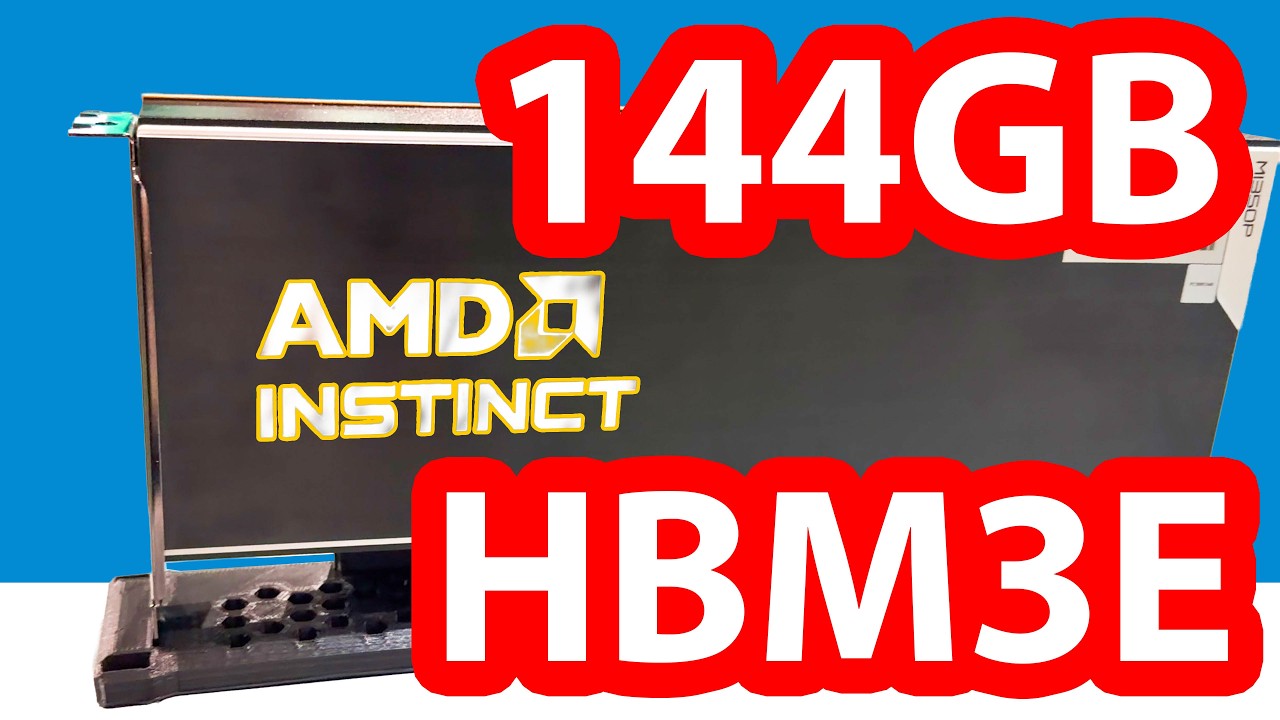 📺 THIS is AMD's New 144GB HBM3E PCIe GPU AMD Instinct MI350P
AMD Instinct MI350P Overview: HBM3E Memory in a PCIe Gen5 Card
▼
AMD Instinct MI350P brings HBM3E memory to a dual-slot PCIe Gen5 form factor, offering data centers a new opti…
AMD Instinct MI350P brings HBM3E memory to a dual-slot PCIe Gen5 form factor, offering data centers a new option for running AI models. I explain its specifications, design decisions, and how it lines up against competing PCIe GPU solutions.
■ Key Specifications and Design
- 144GB HBM3E, up to 4TB/s peak memory bandwidth, PCIe Gen5 x16
- New numeric formats (MXFP8, MXFP6, MXFP4) and dedicated hardware video decode
- 600W in dedicated GPU servers, adjustable down to 450W in conventional chassis
- Passive cooling, double-wide full-height/full-length, MIG-style partitioning
- Effectively a half-configuration of MI350X, without Infinity Fabric expansion
■ Market Position and Comparisons
- Competing options in the PCIe Gen5 segment: Nvidia H100/H200 NVL and RTX Pro 6000 Blackwell
- Memory capacity and bandwidth differences across eight-GPU servers
- Systems displayed at Computex, Dell Tech World and HPE Discover
- Power, rack and deployment constraints for inference-focused environments
For data center operators, AI practitioners and hardware enthusiasts comparing options below rack-scale systems, this breakdown provides a concrete basis for evaluating specifications, memory limits and deployment scenarios before deciding what to run in your own environment.
 📺 GIANT 27m LED Dome BTS We Tour the Tech
A Behind-the-Scenes Look at the Technology Powering Cosm Los Angeles
▼
This video takes you inside Cosm Los Angeles in Inglewood, California for a guided tour of the 27-meter LED do…
This video takes you inside Cosm Los Angeles in Inglewood, California for a guided tour of the 27-meter LED dome and the systems that make its live sports and entertainment experiences possible. Host Patrick speaks with Devin Putman, Cosm's Chief Product and Technology Officer, about the hardware, software, and workflows behind the venue.
■ The Cosm Experience
- What Cosm is and how its shared-reality concept translates VR and AR into a physical space
- Plans to expand beyond Los Angeles and Dallas, including Atlanta and Cleveland
■ Content and Viewing
- Live sports coverage such as hockey, UFC, and Premier League football
- How the camera setup lets viewers follow plays and players differently from a TV broadcast
- Immersive cinema experiences, including a 16K cube map demonstration rendered in Unreal Engine
■ Behind the Technology
- Dell Precision workstations capturing and processing 8K–10.5K footage and streaming it to the cloud
- The server room: distributed display nodes, NVIDIA GPUs, and Dell PowerScale storage handling petabytes of video
- How a custom software layer controls every pixel of the LED dome
- The use of AI for super-slow-motion replays and virtual cameras for broadcasters
- On-site kitchen and flexible same-day programming across sports and film
This is useful for viewers interested in immersive venues, live production technology, or how major hardware is deployed at scale. Watching gives you a clearer picture of what it takes to run an experience like this and what to look for when you visit.
 📺 BEST of Everything CPU? The AMD EPYC 8005 Sorano
AMD EPYC 8005 Serrano 8-Core to 84-Core Zen 5 Edge Server Processor Deep Dive
▼
AMD EPYC 8005 Serrano series is examined in detail, covering its Zen 5 core architecture, up to 84 cores at 22…
AMD EPYC 8005 Serrano series is examined in detail, covering its Zen 5 core architecture, up to 84 cores at 225W TDP, 96 Gen 5 PCIe lanes, and 6 DDR5 memory channels. The video compares it against the previous EPYC 4004 Sienna series and Intel Xeon 6 SoC, while showcasing it inside an HP ProLiant DL145 Gen11 server.
■ Product lineup and architecture
- 8-core to 84-core SKUs ranging from roughly $500 to $5,000
- Zen 5 cores replacing Zen 4C, with increased L3 cache per core count
- TDP of 95W (8-core), 125W (16-core), and 225W (84-core)
■ Platform capabilities and comparisons
- 96 Gen 5 PCIe lanes plus additional Gen 3 lanes and up to 6 DDR5 channels
- DDR5 4800–6400 support and memory bandwidth improvements over Sienna
- Competitive positioning against Intel Xeon 6 SoC (Granite Rapids D) and AMD EPYC Turin
- Memory cost trade-offs: lower-clocked DDR5 with more DIMMs versus higher-clocked DIMMs
■ Server hardware showcase
- HP ProLiant DL145 Gen11 internals and an ASRock edge server with 8 DIMM slots
- Passive and liquid cooling options, fan configurations, and expansion features
■ Benchmark overview
- Spec CPU performance comparison between 16-core and 84-core models, and vs. Sienna 8004 series
Designed for edge computing, storage servers, and industrial deployments, this breakdown helps you evaluate whether the EPYC 8005 series fits your power budget, I/O requirements, and cost targets. If you are planning a data-center or edge infrastructure upgrade, this is a useful reference before purchasing.
📄 このページの紹介文は AI が独自に生成したものであり、著作権をはじめとする他者の権利(商標権・名誉権・プライバシー等)を侵害しないよう配慮しています。動画の著作権は各作成者に帰属します。