このチャンネルのほかの紹介

Grounding AI Agents with Microsoft Web IQ: Fresh, Cited, Production-Ready Web Knowledge
AI agents are only as reliable as the knowledge they can access, yet models stop learning at their training cu…

Microsoft Developer News Roundup: DirectX GPU Crash Dumps, Azure Identity Updates, and Microsoft Foundry Agent Harness
Cameron presents a roundup of Microsoft developer news covering DirectX, Azure SDK, and Microsoft Foundry. The…
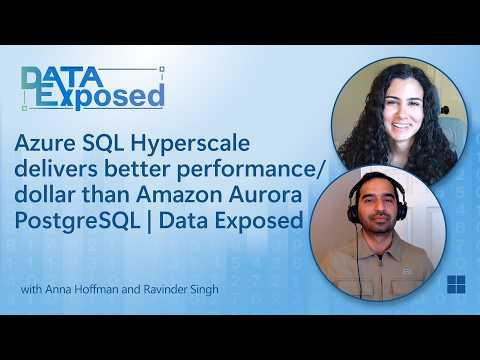
Azure SQL Hyperscale Benchmark Results Against Amazon Aurora
A third-party benchmark commissioned by Microsoft compares Azure SQL Database Hyperscale with Amazon Aurora on…
 📺 Microsoft Foundry with Adrian Twarog: Build Your First Agent
Getting Started with Microsoft Foundry: Setup, Agents, Models, and Tools
▼
Microsoft Foundry is a unified platform for building AI projects on Azure, covering AI agents, model customization, and application development. This walkthrough covers account setup through publishing, plus a discussion on who the platform is aimed at and how model selection and cost control work in practice.
■ Setup
- Creating a Foundry account and linking an Azure subscription
- Three starting paths: building an agent, deploying a model, or starting with code
■ Building and deploying
- Using the playground to test prompts and customize instructions
- Requesting model quota and deploying base models from the publisher catalog
- Publishing an agent as a web app and accessing it via the Azure SDK
■ Tools and integration
- Using built-in tools, MCP servers, and pre-baked Azure skills
- Building a custom skill with a limited-permission MCP connection
- Testing tool calls such as retrieving and drafting emails
■ Discussion
- Content creation process and how tutorial videos are condensed
- Model choice, free credit usage, and intended enterprise audience
- Cost visibility and oversight through the Azure ecosystem
企業向けAI開発に関心のある方、Azure上でエージェントやモデルを構築・運用したい方が対象です。視聴後は、アカウント作成からエージェント公開までの手順、モデルのデプロイとクォータ申請の流れ、カスタムツール接続の方法を把握できます。まず概要欄のリンクからFoundryにアクセスし、無料クレジットを使って最初のエージェントを構築してみてください。
この動画を紹介した Microsoft Developer の最新動画も、紹介付きで読めます。
いつも見ているチャンネルも、同じように紹介できます。
いつも見ているチャンネルを追加する📄 このページの紹介文は AI が独自に生成したものであり、著作権をはじめとする他者の権利(商標権・名誉権・プライバシー等)を侵害しないよう配慮しています。動画の著作権は各作成者に帰属します。