Google for Developers Video Summaries
AI-generated English translations of new videos. A no-sign-up video summary & translation page
 📺 🧰 Builders building with Gemini Audio
Discussion on Lyria Music Models, Gemini Deployment, and Real-Time Voice Use Cases
▼
The conversation covers user experiences with Lyria models for music composition and applications of Gemini models, including Gemini 3.8 and Gemini Live, for cloud-connected and real-time voice scenarios. It also addresses accessibility use cases, low-latency agent responses, extended thinking with asynchronous tool calls, and a speech-to-speech benchmark referred to as Miva Bench.
■ Lyria models
- Experiences using the models as a partner for music composition
■ Gemini models and deployment
- A Gemini 3.8 client running on Richie mini and connecting via web sockets to Gemini 3.8 in the cloud
- Use of Gemini Live or Gemini models for voice-based assistance, including for a user with visual impairment
- Consideration of environments where Wi-Fi may not be available
■ Real-time voice and agent behavior
- Live audio quality and fast agent responses
- Real-time context gathering during interactions
■ Extended thinking and tool calls
- Running a long background process while holding an unrelated conversation with an asynchronous tool call in progress
■ Benchmark discussion
- A benchmark called Miva Bench measuring performance alongside other speech-to-speech models
This discussion is suitable for developers, AI practitioners, and accessibility-focused viewers interested in model deployment, voice interaction, and music generation use cases. It provides a high-level view of the topics raised and the types of applications and evaluations mentioned without detailing implementation steps or results.
 📺 🎵 Turning motion into music with Gemini
この動画は短いため紹介が用意できません
▼
 📺 📖 Explore custom voice narration with Gemini 3.8 Flash TTS
この動画は短いため紹介が用意できません
▼
 📺 Turning raw hardware sensor data into music with Gemini
Creating a Laptop-Sensor Music Synthesizer with Gemini
▼
An approach to building a browser-based digital music synthesizer that uses a laptop’s built-in sensors and Gemini as a development assistant is presented. The aim is to generate music in real time by moving, tilting, or shaking the laptop, without requiring additional hardware.
■ Project concept and setup
- Repurposing a laptop as a musical instrument through its existing sensors
- Avoiding extra devices by working in the browser
- Using Gemini to help build a prototype
■ Sensor integration and real-time data
- Accessing device sensors such as orientation angle
- Referencing open-source projects and documentation for sensor access
- Streaming sensor data to a hub for real-time visualization
- Exploring how the data can be used for musical control
■ Musical interaction and outcome
- Creating music live by moving, tilting, or shaking the laptop
- Designing movement-based control that feels natural for a musician
- Realizing a vision for an interactive digital instrument
This is suitable for viewers interested in music technology, creative coding, AI-assisted development, and DIY instrument prototyping. It offers an overview of how built-in sensors and Gemini can be combined to experiment with new musical interfaces. Viewers may gain ideas for applying similar workflows to their own interactive projects.
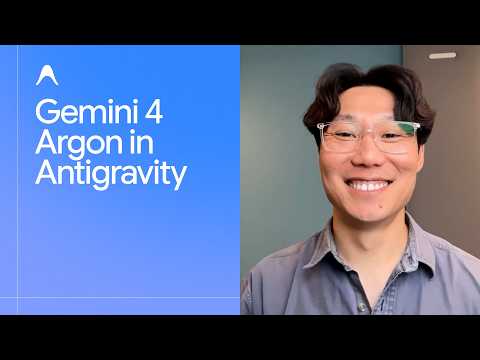 📺 Gemini 4 Argon in Antigravity
Google Anti-Gravity: Multi-Agent Platform for 3D and Game Development
▼
Google anti-gravity is an agent-first platform demonstrated with Gemini for Argon. It uses multi-agent workflows to generate 3D models, games, and hardware designs from text prompts or images. The video showcases its capabilities in creating explorable worlds, playable games, and functional hardware prototypes.
■ 3D and Game Generation
- Multi-agent iterative workflow for 3D temple model
- Office image to 3D racing game with one prompt
- Use of Blender MCP and Nano Banana
- Transformation of everyday objects into playable games
■ Hardware and 2D to 3D Conversion
- End-to-end design of portable retro game console
- Generation of parts list, wiring diagrams, case designs, and AI game engine
- Conversion of basic 2D map set into 3D world on Pixel phone
■ Availability
- Rollout in anti-gravity desktop app, CLI, and Android Studio login
- More details in description
This video is suitable for developers, AI enthusiasts, and creators interested in AI-driven content generation. It provides an overview of the platform's capabilities and potential applications. Viewers can learn about the multi-agent approach and its integration with existing tools.
 📺 Gemini 4 Argon: What’s new and what’s next
Release Notes: Gemini 4 Argon Launch, Capabilities, and Internal Testing
▼
This episode of Release Notes brings together the Google DeepMind team to discuss the launch of Gemini 4 Argon and its rollout across Gemini app, AI Studio, Gemini API, and Anti-Gravity. The conversation covers external and internal testing, safety work, writing quality, long-context output, and agentic model development.
- Release and availability: Gemini 4 Argon launch; availability in Gemini app, AI Studio, Gemini API, and Anti-Gravity; early access and cyber defender programs including work with Wiz.
- Testing and safety: internal testing by roughly 100,000 engineers; external partner feedback; U.S. government testing; safeguard and monitoring improvements.
- Product and user experience: writing quality and concision; reduced AI filler; editing and feedback workflows; reasoning effort settings; one-million-token output; thinking summaries in the API.
- Research and engineering: iterative development cycles; model-assisted post-training; agentic workflows for monitoring, configuration feedback, and data inspection; Fortran-to-Rust code migration; hardware fault diagnosis.
- Use cases and feedback: coding examples such as a Minecraft-like game; an early-childhood reading app; long mathematical reasoning; internal employee feedback loops.
Viewers interested in AI model releases, LLM capabilities, safety, agentic workflows, and practical applications will gain an overview of Gemini 4 Argon and its positioning. The episode provides context for developers, researchers, and product teams evaluating the model. It does not include detailed benchmark numbers, pricing, or full technical specifications.
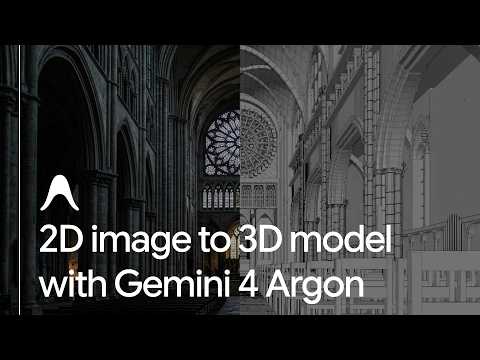 📺 Gemini 4 Argon and Google Antigravity: From 2D concept to 3D cathedral
Building a 3D Cathedral in Blender with an AI Agent
▼
I demonstrate how an AI agent can use a 2D reference image to create a 3D architectural scene in Blender. The walkthrough covers a workflow connecting Antigravity to Blender through MCP, from initial geometry to scene lighting.
- Reference image creation in Flow and setup of the Blender connection
- Iterative modeling guided by image comparisons, followed by column and floor details
- Automated adjustments to volumetric fog, camera depth, and sunlight
This overview is for Blender users and anyone exploring AI-assisted 3D workflows. Viewers can use it to understand the steps involved and identify a reference image and scene to try in their own workflow; it does not cover a general guide to Blender or MCP beyond this example.
 📺 Order in any language with Gemini 3.5 Live Translate
この動画は短いため紹介が用意できません
▼
 📺 🤖 Operating real hardware with Gemini AI
この動画は短いため紹介が用意できません
▼
 📺 Building low-latency remote robotics with Gemini
Controlling a Robotic Arm Remotely with a Digital Interface
▼
I demonstrate a remote-control setup that links a browser-based 3D representation of a robotic arm to the physical arm located roughly 1,700 miles away. The walkthrough shows how Gemini is used to create the interface and a script that relays joint updates to the arm’s motors.
- Creating a 3D representation and sending joint movements from a browser in real time
- Using calibration data and a script to connect the digital controls to the physical arm
This is suited to viewers interested in robotics, remote operation, and practical uses of AI-assisted development. It covers the interface-to-arm workflow, not a detailed guide to the arm’s hardware or full implementation; viewers can use it as a starting point for exploring similar control projects.
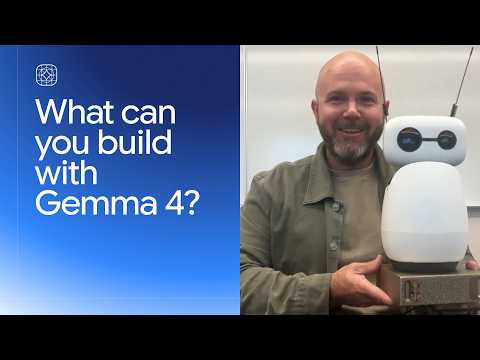 📺 Building with Gemma 4
Four On-Device AI Projects Built with Gemma 4
▼
Gemma 4 is an open model family that can run locally, from phones to workstation GPUs. I introduce four projects showing how on-device AI can support offline conversation, robotics, wildlife research, and coding education.
- Gemma 4 overview: local use, fine-tuning, and deployment across different devices
- Project examples: an offline conversational assistant and a wearable robotic arm
- Remote and educational use: wildlife analysis without connectivity and an offline coding helper for students
- Getting started: try Gemma 4 in Google AI Studio or download its weights from Hugging Face
For developers, educators, and anyone exploring local AI, these examples offer ideas for applications that can work without cloud access. The focus is on use cases rather than setup instructions or performance comparisons; viewers can explore Gemma 4 through the resources mentioned.
 📺 📷 Searching for images from text with EmbeddingGemma 2
Search Photos and Videos On-Device with EmbeddingGemma 2
▼
See how the lightweight, natively multimodal EmbeddingGemma 2 model can help search a personal media library by meaning rather than exact keywords. Using Google AI Edge Gallery, the examples cover finding beach photos of a dog and locating a candle-blowing moment in a birthday video.
- Semantic search across photos and videos
- Finding a specific moment within a video
- On-device, offline operation without external API calls
For people interested in private, on-device media search, this walkthrough shows the kinds of queries the app supports. Download Google AI Edge Gallery from the Play Store or App Store to try it; the presentation focuses on examples rather than setup instructions or performance comparisons.
 📺 Real-time golf swing coaching with Gemini 3.8 Live
AI-Powered Golf Swing Coaching with Gemini
▼
A golf practice session demonstrates how Gemini 3.8 Live and Gemini 3.8 can support swing coaching. Motion-capture footage recorded at 120 frames per second is analyzed to provide feedback on a golfer’s technique.
- Motion capture and AI analysis of a golf swing
- Coaching feedback, including attention to chest rotation
- A QR code for accessing a session summary
Golfers and those interested in AI coaching can see how this setup provides swing feedback. The demonstration focuses on one practice session and does not cover a full golf-training program; viewers can apply the feedback by continuing to practice and reviewing their session summary.
 📺 🧶 From Gemini code to textile art
この動画は短いため紹介が用意できません
▼
 📺 Turning code into fabric with Gemini
Encoding Meaning in Knitting with Algorithms and Gemini
▼
A knitter with an interest in mathematics and algorithms explores how computational ideas can be woven into physical work. The project uses Gemini for inspiration and technical assistance, including an encoded message built into a knitted pattern.
- Using Gemini to explore connections between knitting, computing history, and binary algorithms
- Embedding a message in a knitted design with carrier matrices
- Applying AI assistance to coding and building an app
For knitters, makers, and readers interested in algorithms, this offers an example of combining computation with craft. Viewers can use it as a starting point for exploring how a chosen algorithm might shape a physical project.
📄 このページの紹介文は AI が独自に生成したものであり、著作権をはじめとする他者の権利(商標権・名誉権・プライバシー等)を侵害しないよう配慮しています。動画の著作権は各作成者に帰属します。