ETA PRIME Video Summaries
AI-generated English translations of new videos. A no-sign-up video summary & translation page
 📺 The New M6 Mac Mini Is Actually a Gaming PC!
Apple Mac Mini M6 Gaming Performance Review
▼
This video evaluates the gaming capabilities of the new Apple Mac Mini M6, focusing on both native macOS titles and Windows games run via Game Hub. It provides benchmark data and real-world gameplay tests to demonstrate the device's performance in various scenarios.
■ Hardware Specifications and Setup
- Overview of the base model with 16GB RAM and 256GB storage
- CPU architecture details including 12-core design and 2-nanometer technology
- GPU configuration with 12 cores and memory bandwidth specifications
■ Benchmark Analysis
- Geekbench 7 single-core and multi-core comparisons against AMD processors
- 3DMark Steel Nomad graphics performance relative to desktop GPUs
- Power consumption analysis highlighting efficiency compared to high-end PC parts
■ Native macOS Gameplay Tests
- Cyberpunk 2077 performance at 1080p and 1440p using MetalFX scaling
- RoboCop testing with shader caching and resolution adjustments
- Crimson Desert evaluation with frame generation and mixed settings
- No Man's Sky performance at ultra settings with and without scaling
■ Windows Game Compatibility via Game Hub
- Spider-Man: Miles Morales performance at 1440p with FSR
- Grand Theft Auto V Legacy edition performance at 1440p
- General observations on smoothness and visual quality for non-native titles
■ Conclusion and Future Testing
- Summary of initial impressions regarding gaming viability
- Plans for additional tests including emulation and community-requested games
- Recommendations for viewers interested in purchasing or using the device for gaming
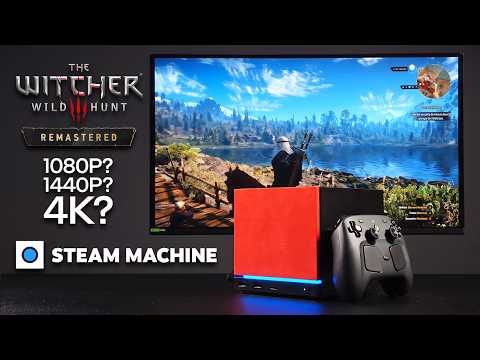 📺 Witcher 3 Remastered is FREE, But Can the Steam Machine Handle It?
The Witcher 3 Next-Gen Update Performance Test on Steam Machine
▼
This video evaluates the performance of The Witcher 3: Wild Hunt Enhanced Edition on the Valve Steam Machine, a handheld device featuring an RDNA 3 GPU. It provides detailed benchmark results across various resolutions and graphical settings to determine playability without external upscaling technologies.
■ Resolution and Settings Analysis
- 1080p Ultra settings without ray tracing or upscaling
- 1440p Ultra settings with and without FSR frame generation
- 4K Ultra settings requiring significant performance adjustments
■ Technical Observations and Solutions
- Issues with ray tracing disabling on Steam Deck/Machine hardware
- Impact of weather effects like rain on frame rates
- Effectiveness of FSR quality modes for maintaining 60+ FPS
■ Conclusion and Recommendations
- Best configuration options for smooth gameplay on this specific hardware
- Comparison between native resolution and upscaled performance
- Final verdict on the feasibility of playing the enhanced edition on Steam Machine
Viewers seeking to understand the practical performance limits of The Witcher 3 on portable PC hardware will gain actionable insights into optimal settings for their device.
 📺 Legion C700 gaming handheld First look
Lenovo Legion Go Cloud Gaming Device Review: Local and Emulated Performance
▼
This content evaluates the Lenovo C700, a portable gaming device marketed as a cloud gaming console but capable of local performance. It examines hardware capabilities through various game tests and emulation scenarios to determine its practical utility.
■ Performance Testing
- Asphalt Unite runs smoothly at 60 FPS with max graphics settings
- Demanding titles like Minecraft and Call of Duty Mobile require adjusted frame rates
- GameCube and Wii emulation performance using Dimensity 7400 processor
- Heavy games such as Rogue Squadron 2 and F-Zero GX show some stuttering
■ Overall Assessment
- The device is described as compact and functional for its size
- Emulation performance exceeded initial expectations despite minor issues
- Suitable for users interested in portable cloud and local gaming solutions
 📺 SteamOS on the ARC G3 Extreme is Here! (But Missing One Huge Feature!)
MSI Claw EX-AI Plus Steam OS Review and Performance Analysis
▼
This video provides a comprehensive evaluation of the MSI Claw EX-AI Plus handheld gaming PC running the official Steam OS, focusing on its compatibility with Intel's G3 Extreme processor and Arc B390 graphics. It details the necessary system configurations, driver limitations, and performance benchmarks across various game titles to assess real-world usability.
■ System Configuration and Setup
- Pre-installation of Windows 11 versus the official Steam OS experience
- Utilization of Decky Loader for RGB control and TDP adjustment (3W to 40W)
- CPU governor settings required to optimize performance on Linux
■ Driver Limitations and XeSS Implementation
- Absence of Xe MX drivers in Linux affecting AI upscaling features
- Comparison between Windows XeSS performance and Linux shader core reliance
- Use of FSR as an alternative upscaling method due to driver constraints
■ Game Performance Benchmarks
- Lightweight titles: Silk Song and Left 4 Dead 2 at high frame rates
- Older AAA titles: Skyrim Special Edition at Ultra settings
- Modern AAA titles: Doom: The Dark Ages, Hogwarts Legacy, and Forza Horizon 6
- Impact of TDP settings on frame stability and average FPS
■ Hardware Comparison and Conclusion
- Comparison with OneXPlayer G3 regarding SSD accessibility and raw power
- Expectations for future performance improvements upon driver updates
- Summary of current viability for SteamOS users with this specific hardware
 📺 MSI Crosshair A16 HX
MSI Crosshair A16H X Review: AMD Ryzen 9 8948 HX and RTX 5070 Performance
▼
This video provides a detailed technical overview of the MSI Crosshair A16H X, a 16-inch gaming laptop powered by the AMD Ryzen 9 8948 HX processor and NVIDIA RTX 5070 graphics. It examines the hardware specifications, power consumption dynamics, and benchmark results to evaluate its high-performance capabilities.
- Processor Specifications: Details on the AMD Ryzen 9 8948 HX, including 16 cores, 32 threads, Zen 4 architecture, and boost speeds up to 5.3 GHz.
- System Configuration: Analysis of the combination between the Ryzen 9 CPU and RTX 5070 GPU, noting a total power consumption of 190 watts.
- Performance Modes: Explanation of the "Apex" mode settings, which increase fan speed and noise levels to achieve maximum performance.
- Benchmark Results: Presentation of single-core (2571), multi-core (over 20,000), and specific Ryzen 9 8948 HX (13,042) benchmark scores.
- Overall Assessment: Summary of the device's performance during testing days and its positioning as a strong option for current gaming laptops.
Viewers seeking information on the technical specifications and real-world benchmark data of this specific MSI model will gain a clear understanding of its processing power and thermal management strategies.
 📺 GPD Win Max 3 + SteamOS: Ryzen AI Max 388 Gaming Test!
GPD Win Max 3 Review: Steam OS Installation and Gaming Performance
▼
This video examines the GPD Win Max 3, a compact PC with an integrated controller, focusing on its performance after installing SteamOS. It details the hardware specifications, including the AMD Ryzen AI Max 388 processor and OLED display, while testing various games at different TDP settings.
■ Hardware Overview and Software Setup
- Introduction to the GPD Win Max 3 design, removable battery, and cooling unit options
- Installation of SteamOS using a Steam Deck recovery image and initial configuration
- System specifications: AMD Ryzen AI Max 388, Radeon 860S graphics, and 165Hz OLED screen
■ Gaming Performance Benchmarks
- Forza Horizon 6 performance at 1200p and 2400p resolutions with varying TDP levels
- Cyberpunk 2077 gameplay analysis using FSR and frame generation features
- Hogwarts Legacy, Spider-Man 2, Mortal Kombat 1, and Red Dead Redemption 2 testing results
■ Conclusion and Recommendations
- Summary of SteamOS compatibility and overall gaming capabilities on the device
- Guidance for users interested in using the device as a Linux-based handheld or desktop alternative
 📺 MSI Pro Max Edge AI+ First Look, They Put Put 96GB of VRAM in a Mini PC!
MSI Pro Max Edge AI Plus Review: Ryzen AI Max Plus 395 Performance and Gaming Benchmarks
▼
This video provides a comprehensive technical review and performance analysis of the MSI Pro Max Edge AI Plus, a compact workstation featuring the AMD Ryzen AI Max Plus 395 processor. It covers detailed specifications, power consumption testing across different modes, and real-world gaming benchmarks to evaluate its capabilities as both a productivity tool and a gaming device.
- Hardware Overview and Connectivity
- Detailed examination of the AMD Ryzen AI Max Plus 395 processor and Radeon 860S integrated graphics
- Analysis of front and rear I/O ports including USB4, SD card reader, and display outputs
- Power Consumption and Thermal Testing
- Evaluation of TDP limits in Silent, Balanced, and Extreme Performance modes
- Monitoring of CPU and GPU temperatures during stress tests
- Synthetic Benchmark Results
- Geekbench 7 and Cinebench R24 multi-core and single-core performance metrics
- 3DMark Steel Nomad and Time Spy scores compared to dedicated mobile GPUs
- Real-World Gaming Performance
- Testing Forza Horizon 6, Cyberpunk 2077, and Crimson Desert at 1440p
- Application of FSR 4 and Frame Generation technologies for optimal frame rates
The content is suitable for users interested in compact high-performance PCs, AI workloads, and integrated graphics gaming. Viewers will gain insights into the thermal behavior, power efficiency, and gaming viability of this specific hardware configuration.
 📺 Lenovo Legion C700 Hands On First Look!
Lenovo Legion C700 Review: Cloud Gaming, Emulation, and Hardware Analysis
▼
The Lenovo Legion C700 is a portable gaming device featuring the MediaTek Dimensity 7400 SoC, designed to handle local emulation and cloud streaming via a specialized 6GHz dongle. This video provides a comprehensive overview of its hardware specifications, software interface, and performance across various gaming scenarios.
■ Hardware Design and Specifications
- Physical build including TMR analog sticks, linear Hall-effect triggers, and macro buttons
- 7.82-inch IPS display with 1920x1080 resolution and 120Hz refresh rate
- Connectivity options including USB-C (USB 2.0), 3.5mm audio jack, and microSD support
- Battery life claims and thermal management system details
■ Software Interface and System Features
- Android-based operating system and Legion Zone application controls
- Performance modes ranging from power saving to Turbo mode
- RGB lighting customization and input layout settings (Xbox/Legion)
- Note regarding the Chinese market version lacking Google Play Store access
■ Emulation and Native Android Performance
- Testing of native Android titles like Asphalt Unite and Call of Duty Mobile
- Dreamcast emulation using ReDream emulator
- PSP emulation with PPSSPP running God of War at 4X resolution
- GameCube and Wii emulation performance using Vulkan interface
■ PC Game Streaming Capabilities
- Setup and usage of the included 6GHz wireless streaming dongle
- Low-latency streaming experience for titles like Cyberpunk 2077 and Forza Horizon 6
- Integration with Steam and Xbox game libraries on the host PC
- Signal penetration and latency observations in different room distances
■ Manufacturing Insights and Conclusion
- Observations suggesting potential collaboration or white-label manufacturing with AYNEO
- Analysis of software elements pointing to AYNEO involvement, such as FPS Thunder overlay
- Summary of target audience suitability for emulation enthusiasts and cloud gamers
This content helps viewers understand the device's capabilities in emulation and streaming, while highlighting specific hardware limitations and regional software differences.
 📺 Retroid Pocket DUO Lite Hands On First Look!
Retroid Pocket Duo Light Review and Comparison with AYN Thor
▼
This video provides a comprehensive review of the Retroid Pocket Duo Light, a dual-screen Android handheld gaming device. It evaluates the hardware design, user interface features, and emulation performance across various retro systems.
■ Hardware Design and Interface
- Physical build quality and ergonomic comparison to Nintendo DS XL/LL forms
- Display specifications for top (1080p) and bottom (960p) screens
- Button layout including Hall effect sticks and non-linear shoulder buttons
- Built-in customization menu and system monitoring tools on the lower screen
■ Emulation Performance Testing
- Performance analysis for DS, PSP, N64, Dreamcast, GameCube, and 3DS emulation
- Identification of capable systems versus those requiring higher-end hardware
- Practical usage scenarios such as multitasking with YouTube and gaming
■ Benchmark Comparison with AYN Thor
- Geekbench 7 single-core and multi-core score comparisons
- AnTuTu benchmark results highlighting raw processing power differences
- Assessment of whether the budget-friendly Duo Light offers sufficient value compared to premium alternatives
Viewers interested in affordable dual-screen handhelds will gain insights into the device's capabilities, limitations, and ideal use cases for retro gaming enthusiasts.
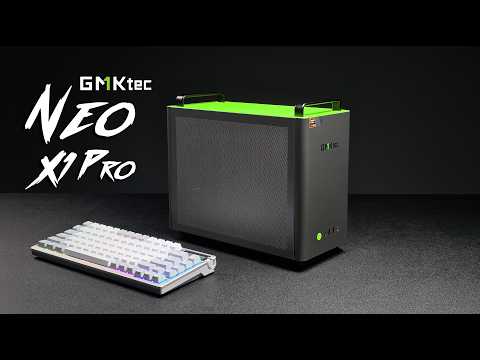 📺 The New NEO X1 Pro Is GMKtec's Most POWERFUL Mini Gaming PC!
GMKtech Neo X1 Pro Review: Small Form Factor Gaming PC with RTX 5070
▼
This video provides a comprehensive technical review of the GMKtech Neo X1 Pro, a compact gaming desktop featuring a Ryzen 9 9955HX3D processor and an NVIDIA GeForce RTX 5070 graphics card. It examines the hardware specifications, internal cooling architecture, and real-world performance benchmarks to determine its viability as a high-performance small form factor solution.
■ Hardware Design and Specifications
- Physical dimensions (14.6L) and port layout including USB-C, DisplayPort 2.1, and HDMI 2.1
- Internal components: AIO liquid cooler, SFX power supply, and dual-channel DDR5 RAM slots
- BIOS settings for power management and fan curve adjustments
■ Performance Benchmarks
- Synthetic tests: Geekbench 7, Cinebench R24, and 3DMark results compared to desktop counterparts
- Real-world gaming tests at 1440p resolution in titles such as Forza Horizon 6, Crimson Desert, Red Dead Redemption 2, Doom: The Dark Ages, and Cyberpunk 2077
- Analysis of frame rates with and without DLSS or ray tracing enabled
■ Thermal Management and Conclusion
- Monitoring CPU and GPU temperatures under load using software tools
- Assessment of noise levels and thermal throttling during extended gaming sessions
- Final evaluation of the device's suitability for users seeking powerful gaming in a compact chassis
This content is intended for tech enthusiasts and gamers interested in small form factor PCs who want to understand the trade-offs between size and performance.
 📺 Steam Machine E-Ink & Pixel Matrix Faceplate Hands On First Look!
JSAUX Digital Front Panels for Steam Deck: E-Ink and Pixel Matrix Review
▼
This video provides a comprehensive guide to installing and configuring JSAUX's digital front panels for the Steam Deck, covering both the wireless E-ink and wired pixel matrix versions. It details the necessary software setup, including Decky Loader and specific plugins, to enable full control over display features such as weather, system stats, and image frames directly within SteamOS.
■ Software Installation and Configuration
- Switching to Desktop Mode and setting up user passwords
- Installing Decky Loader via Firefox and Discover
- Downloading and extracting Mono Ink (E-ink) and Pixel Link (Matrix) packages
- Running installation scripts and activating plugins in Game Mode
■ E-Ink Display Features and Performance
- Wireless Bluetooth connectivity and battery life specifications
- Configuring layouts for time, weather, performance metrics, and photo frames
- Observations on refresh rates and real-time frame counter limitations
■ Pixel Matrix Display Features and Performance
- Wired USB-C connection and physical installation process
- Real-time updates for CPU, GPU, RAM, and frame rate data
- Customization options including GIFs, countdown timers, and brightness settings
■ Comparative Analysis and Conclusion
- Differences in responsiveness and data accuracy between wireless and wired displays
- Potential for future firmware updates to improve real-time game scope integration
- Recommendations for users based on their preference for convenience versus performance
Viewers will gain the technical skills required to install third-party hardware accessories on SteamOS and understand the practical differences between two distinct digital display technologies for enhancing device customization.
 📺 Build Your Own Cyberdeck! Cheap, Easy, Portable, Awesome
Build a Cyber Deck Under $100 Using a Galaxy S10 and Mini Tackle Box
▼
This video demonstrates how to assemble a portable, weatherproof cyber deck for under $100 using minimal parts and no 3D printing. By repurposing an affordable Android smartphone and a mini tackle box, viewers can create a compact device with an AMOLED display and Bluetooth keyboard.
■ Components and Assembly
- Selection of low-cost parts including a Galaxy S10, dual-mode mini keyboard, and waterproof tackle box case
- Modification of the tackle box using a Dremel tool to fit the phone and keyboard securely
- Installation process ensuring a watertight seal without drilling additional holes
■ Software Configuration and Usage
- Setup of rotation control app to maintain horizontal screen orientation
- Connection of Bluetooth peripherals and wake-on-keyboard functionality
- Performance overview regarding emulation capabilities compared to single-board computers
■ Target Audience and Outcomes
This guide is suitable for hobbyists interested in DIY electronics on a budget who want to learn basic hardware modification techniques. Viewers will gain the knowledge to construct a functional, portable computing device capable of running various applications and games.
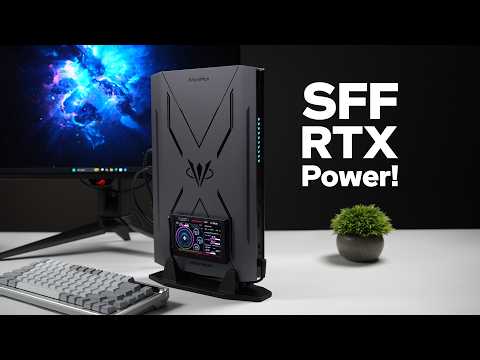 📺 A SFF Gaming PC With 24 Cores and RTX Power Plays It ALL!
Minisforum G7 Pro Mini PC Review: RTX 5070 Gaming Performance and Value Analysis
▼
This video evaluates the Minisforum G7 Pro, a compact gaming PC featuring an Intel Core i9-14900HX processor and an NVIDIA RTX 5070 mobile GPU. It examines whether this device offers sufficient performance for modern gaming compared to traditional consoles or larger builds.
■ Hardware Specifications and Setup
- Overview of the Intel Core i9-14900HX and RTX 5070 (8GB VRAM) configuration
- Installation of Windows 11 and system monitoring tools
- Power management settings via Minisforum Control Center
■ Benchmark and Synthetic Performance
- Geekbench 7 single-core and multi-core results
- 3DMark Steel Nomad and Time Spy graphics scores
- Analysis of thermal and power limits in a small form factor
■ Real-World Gaming Tests at 1440p
- Red Dead Redemption 2 and Forza Horizon 6 performance analysis
- Black Myth Wukong and Mortal Kombat 1 frame rates
- Doom Eternal and Cyberpunk 2077 with DLSS and Frame Generation
■ Market Positioning and Conclusion
- Comparison with Steam Deck and other mini PCs
- Discussion on used market pricing versus retail value
- Final verdict on suitability for dedicated gamers vs. console users
Viewers will gain a clear understanding of the device's capabilities, limitations regarding VRAM, and its overall value proposition in the current market.
 📺 This Tablet Is Also A Gaming PC! Lenovo Legion Infinite Desktop Mode!
Lenovo Legion Y700X Desktop Mode and PC Emulation Review
▼
This content explores the Lenovo Legion Y700X gaming tablet's capabilities as a desktop replacement, focusing on its extended display modes and native PC game emulation features. It demonstrates how the device transforms into a full-fledged Android-based desktop PC using external monitors and built-in software tools.
■ Desktop Connectivity and Interface
- USB-C port configuration for video output and dock compatibility
- Mirror mode versus extended mode setup with independent screen usage
- Resolution settings and multi-window support for productivity apps
■ Native Android Gaming Performance
- High-performance gameplay on Snapdragon Elite 8 Gen 5 hardware
- Comparison of frame rates between internal display and external monitors
- Compatibility testing with titles like Fortnite and Asphalt Unite
■ Console and PC Game Emulation
- GameCube and PS2 emulation using Dolphin and NetherSX2 applications
- Built-in PC game emulator utilizing Proton and FEX technology
- Steam and Epic Games integration for running x86 titles on ARM architecture
- Performance benchmarks for games including The Witcher 3, Skyrim, and Cyberpunk 2077
This guide is suitable for users interested in portable gaming setups and alternative computing solutions. Viewers will gain insights into configuring the tablet for desktop use and understanding the current state of mobile PC emulation.
 📺 INIU P791 10,000mAh Magnetic Power Bank : A Game Changer For Mobile Devices
Anker 10,000mAh Magnetic Power Bank Review and Testing
▼
This content evaluates the Anker 10,000mAh magnetic power bank, highlighting its dual capability for wireless charging and high-wattage wired output via USB-C. It demonstrates practical applications for smartphones and handheld gaming devices like the Nintendo Switch and ROG Ally.
■ Core Specifications and Features
- 10,000mAh capacity with 25W wireless and 65W wired charging support
- Built-in lanyard that functions as a USB-C cable
- LCD display for real-time charge status monitoring
- Inclusion of MagSafe rings for non-MagSafe compatible devices
■ Performance Testing Results
- Wired charging output measured at approximately 19-20W for Nintendo Switch 2
- Full recharge time estimated at 1.8 to 2 hours using a 30W source
- Maximum output tested at 61-65W when charging an ROG Ally X
- Battery capacity allows for roughly 1.8 full charges for the Switch 2
■ Practical Usage Scenarios
- Direct attachment to handheld consoles for on-the-go charging
- Utilization of included MagSafe rings for secure mounting on various devices
- Suitability for action cameras, phones, and other portable electronics
Viewers interested in portable power solutions for gaming handhelds or smartphones can assess the device's performance metrics and physical design features through these demonstrations.
📄 このページの紹介文は AI が独自に生成したものであり、著作権をはじめとする他者の権利(商標権・名誉権・プライバシー等)を侵害しないよう配慮しています。動画の著作権は各作成者に帰属します。